

How It Works
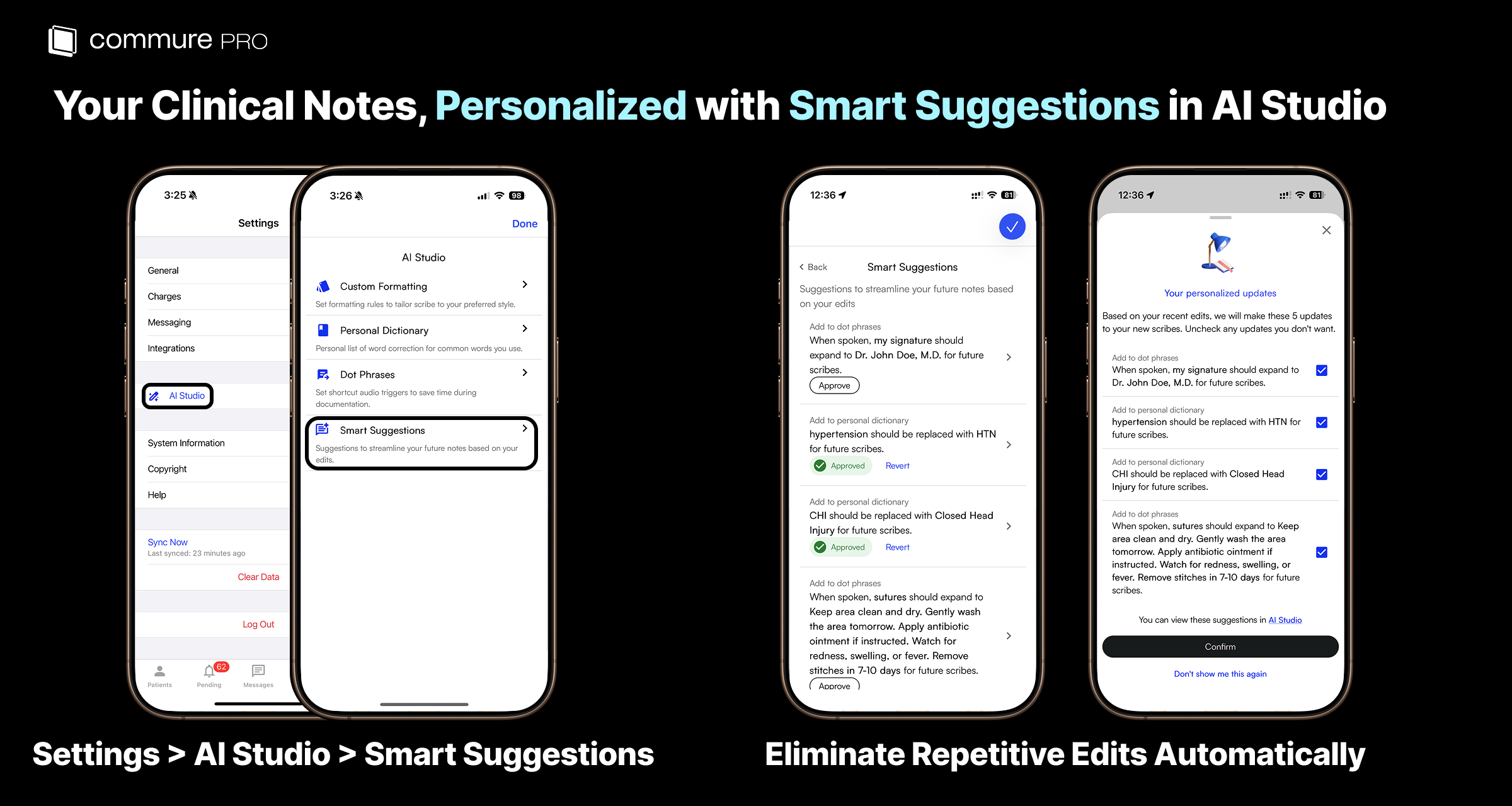
As you correct or refine generated notes, Ambient observes the changes you make over time. When it detects a consistent pattern, it drafts a preference and queues it as a Smart Suggestion. Smart Suggestions are inferred continuously from your most recent edits. Once a week (on a configurable day), any new unreviewed suggestions pop up when you open the app so you can approve or dismiss them. You can also review pending suggestions anytime from Settings > AI Studio > Smart Suggestions.Reviewing Suggestions
1
Review new suggestions
Once a week, new unreviewed suggestions pop up when you open the app. You can also open pending suggestions anytime from Settings > AI Studio > Smart Suggestions.
2
Review each suggestion
Each suggestion shows the inferred preference and the editing pattern it was learned from.
3
Approve or dismiss
Approve to apply the preference to future notes, or dismiss to discard it. Dismissed suggestions will not be re-proposed from the same pattern.
Smart Suggestions vs. Explicit Settings
Smart Suggestions sits inside AI Studio and works alongside Custom Formatting, Dot Phrases, Macros, and Personal Dictionary. Where those features let you set preferences explicitly, Smart Suggestions infers them from your actual editing patterns over time.Approved suggestions apply to future notes only. To update an existing note, use Resume Scribe from the Note Actions page.